ORBYX
NEWA new trailer for the simpler Orbyx. See what is in it.

Every deadline,
in orbit.

Orbyx reads your team's e-mail, puts each deadline on the calendar, and drafts a reply when you ask. When it isn't sure about something, it asks a person. Nothing goes out until someone presses Send.

This 53-second sneak peek shows the real screens in the new, simpler layout. Every person, e-mail, and company in it is made up.

What it does

Every e-mail. Every deadline.
Every reply.

Orbyx is built for teams whose work arrives by e-mail and runs on deadlines. It handles the sorting and the first draft, and people make the decisions.

Dashboard

Everything on one screen.

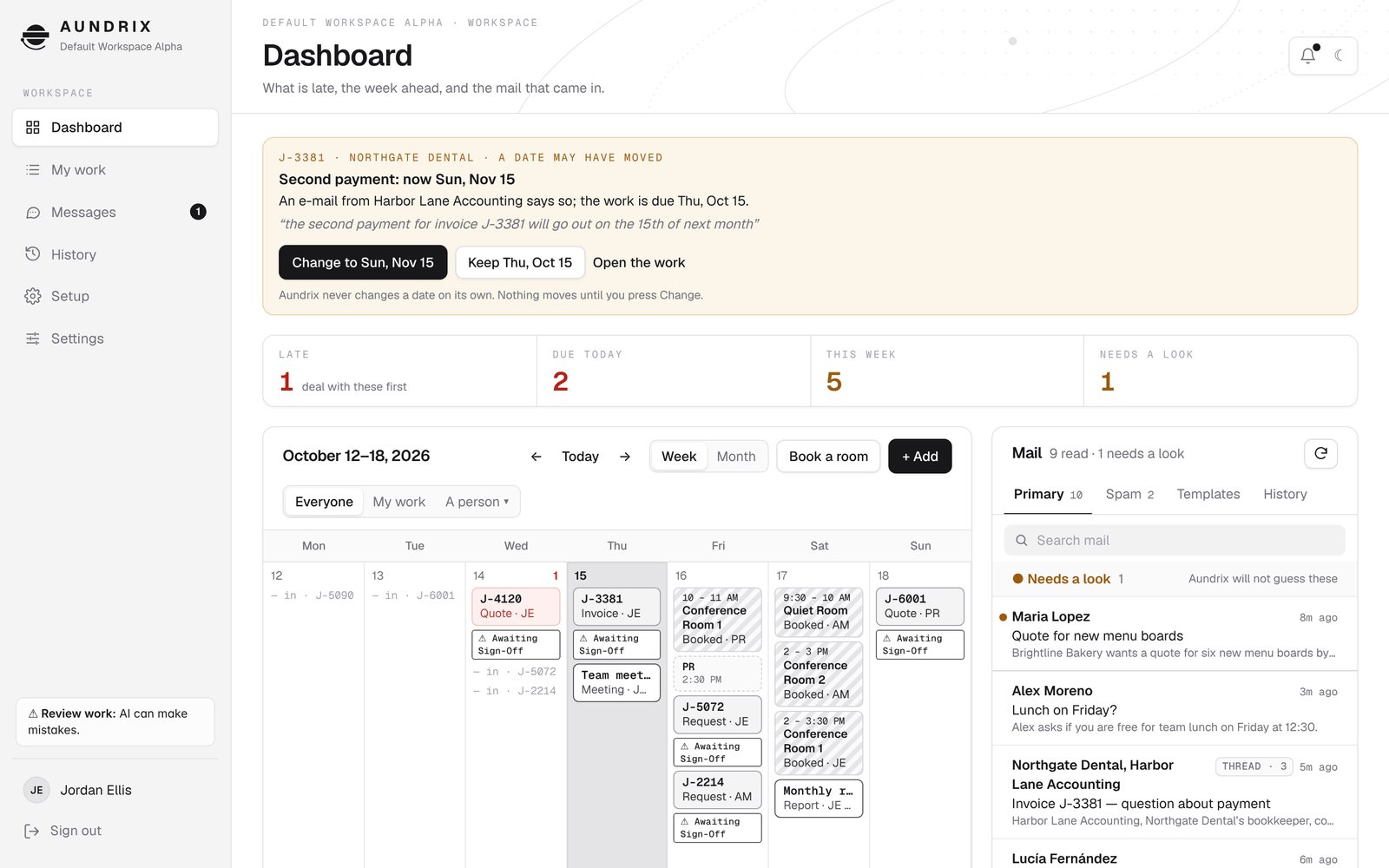
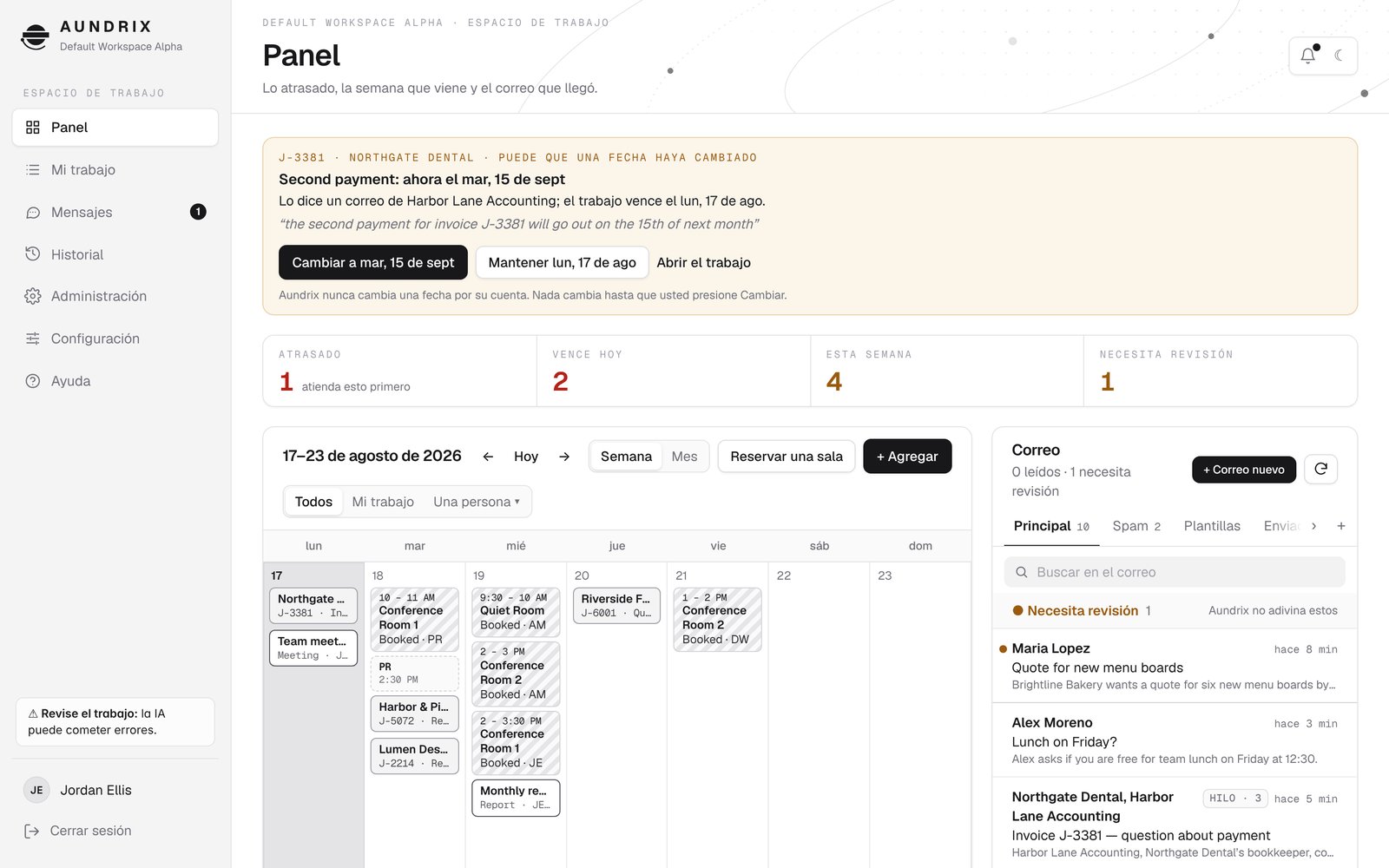
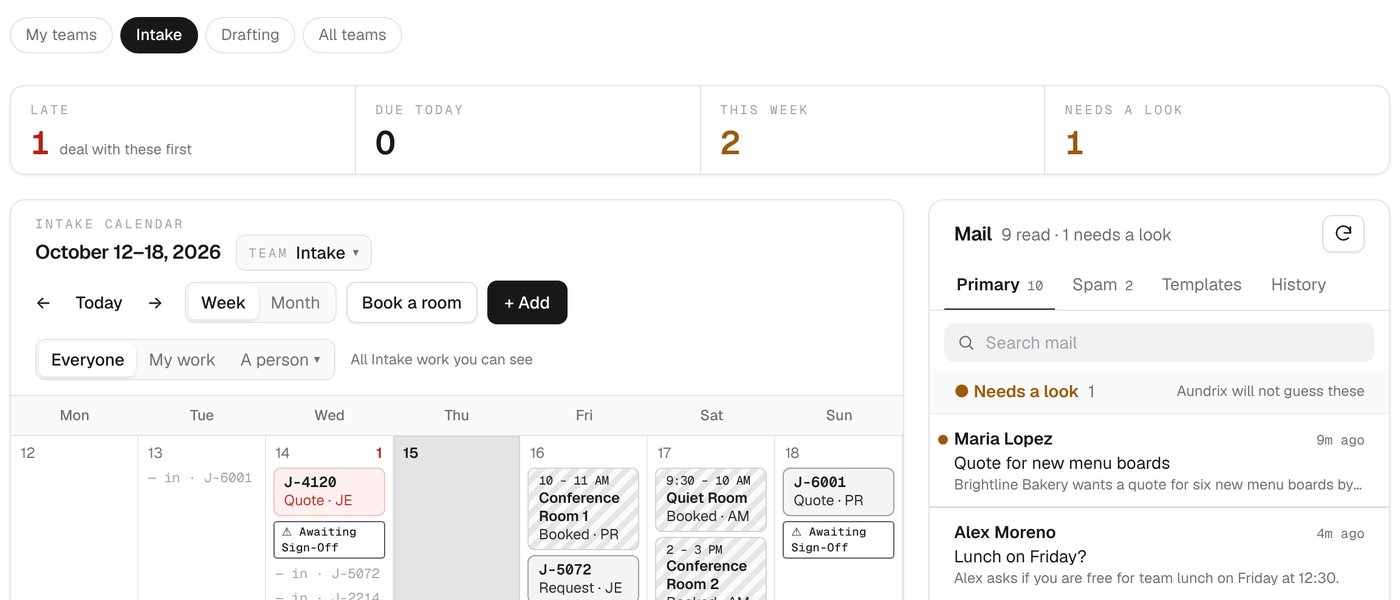
Three counts show how much of your own work is late, due today, and due this week. A fourth shows how many e-mails need a look. The calendar and the mail sit side by side, and it all fits on one screen. An item that came in before the day it is due appears on the calendar twice: on the day it came in and on the day it is due.

The Orbyx dashboard: counts for late, due today, this week, and needs a look, with the week's calendar and the mail side by side.
Mail

An inbox you can search.

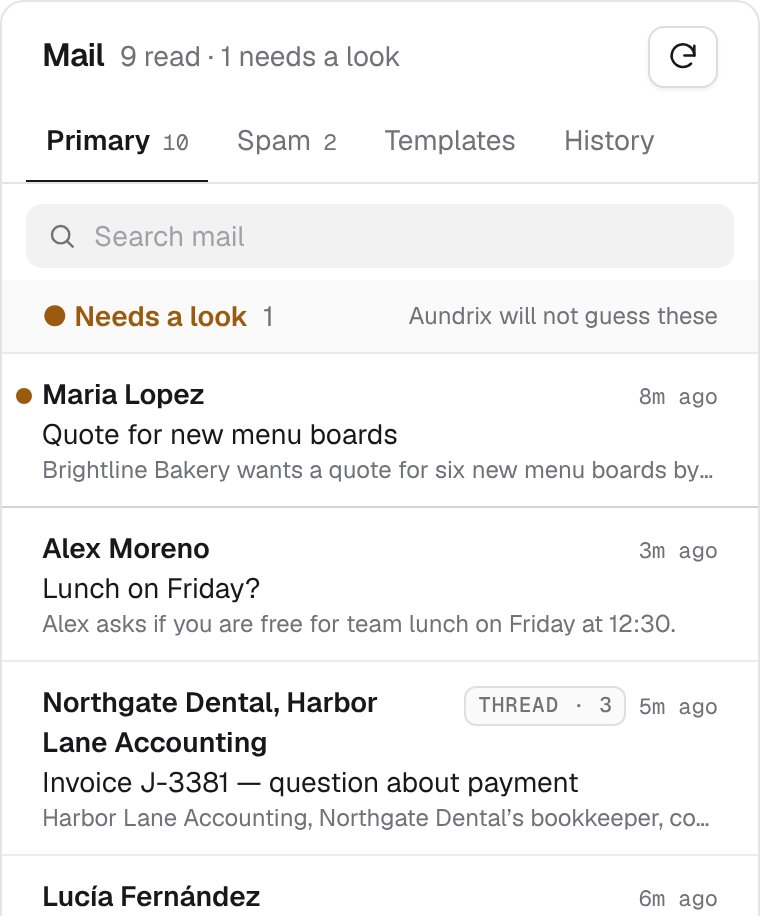
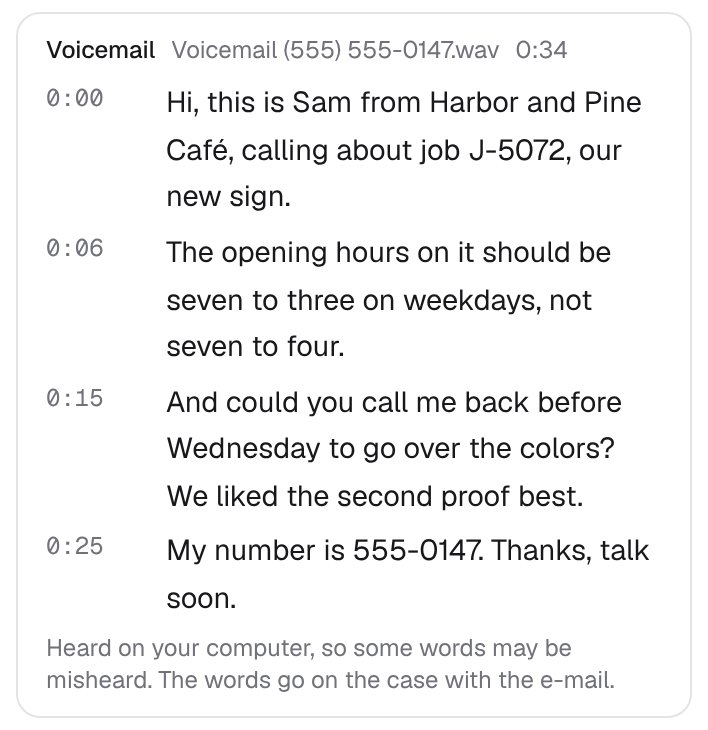
When Orbyx's AI reads an e-mail, it writes a short summary in English, whatever language the e-mail was written in. A conversation is one row, tagged Thread · 3, with every sender's name. Search looks through all the mail still in your inbox, Spam included. When Orbyx isn't sure about an e-mail, it puts it in Needs a look. Orbyx will not guess.

The Orbyx inbox: a Search mail field, a Needs a look group, and e-mails with one-line summaries, including a conversation of 3 e-mails tagged as a thread.
Reading

The whole conversation.

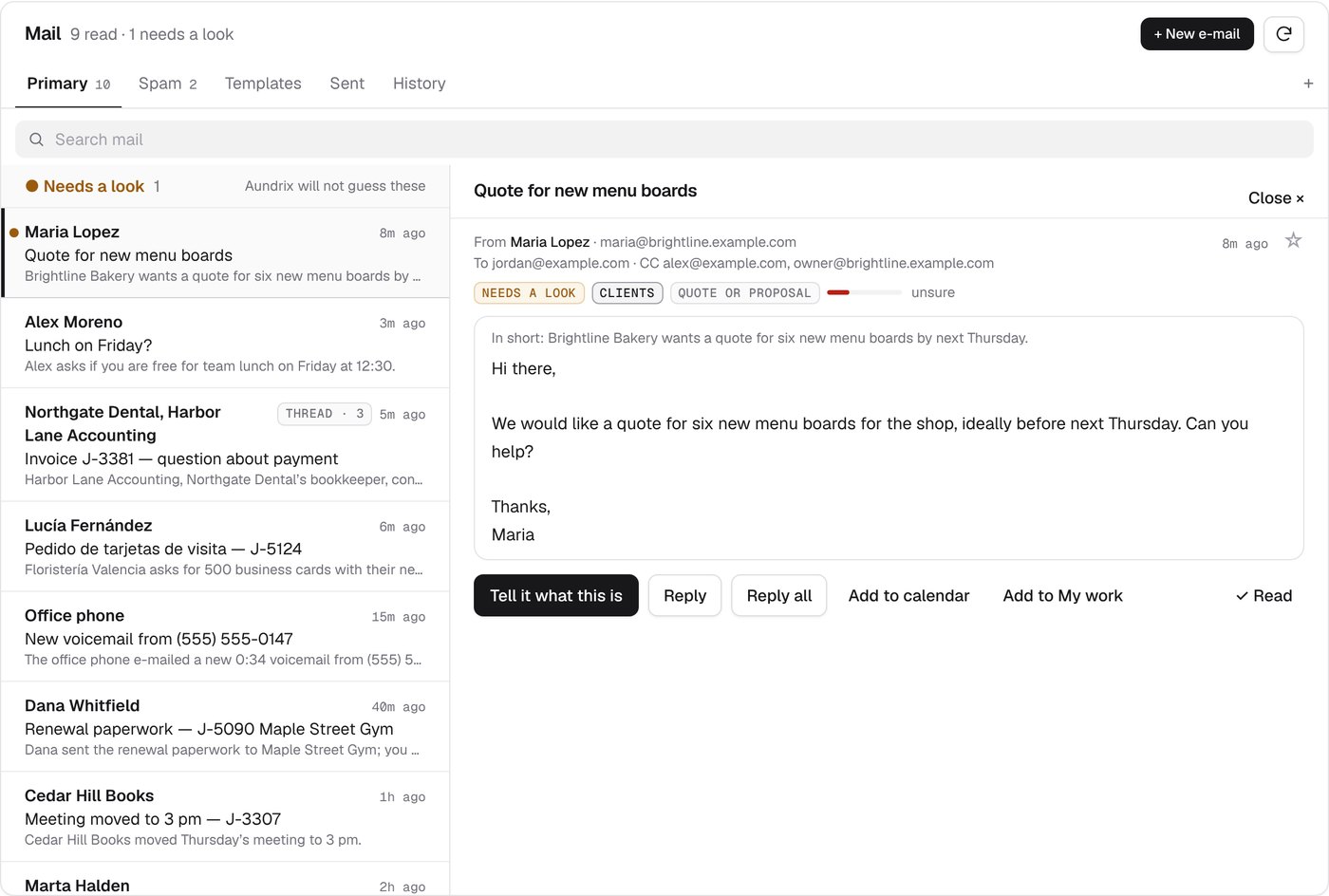
Click an e-mail or a conversation and it opens in place of the list, like a mail app on a phone. You see everyone who wrote, the newest e-mail open, and the earlier ones as one line each. ← Inbox takes you back to where you were, and a reply you have started is kept while you look through other mail.

A conversation open in the reader: the subject, a count of 3 e-mails, both senders, the two earlier e-mails as one line each, and the start of the newest one.
Replies

You press Send.

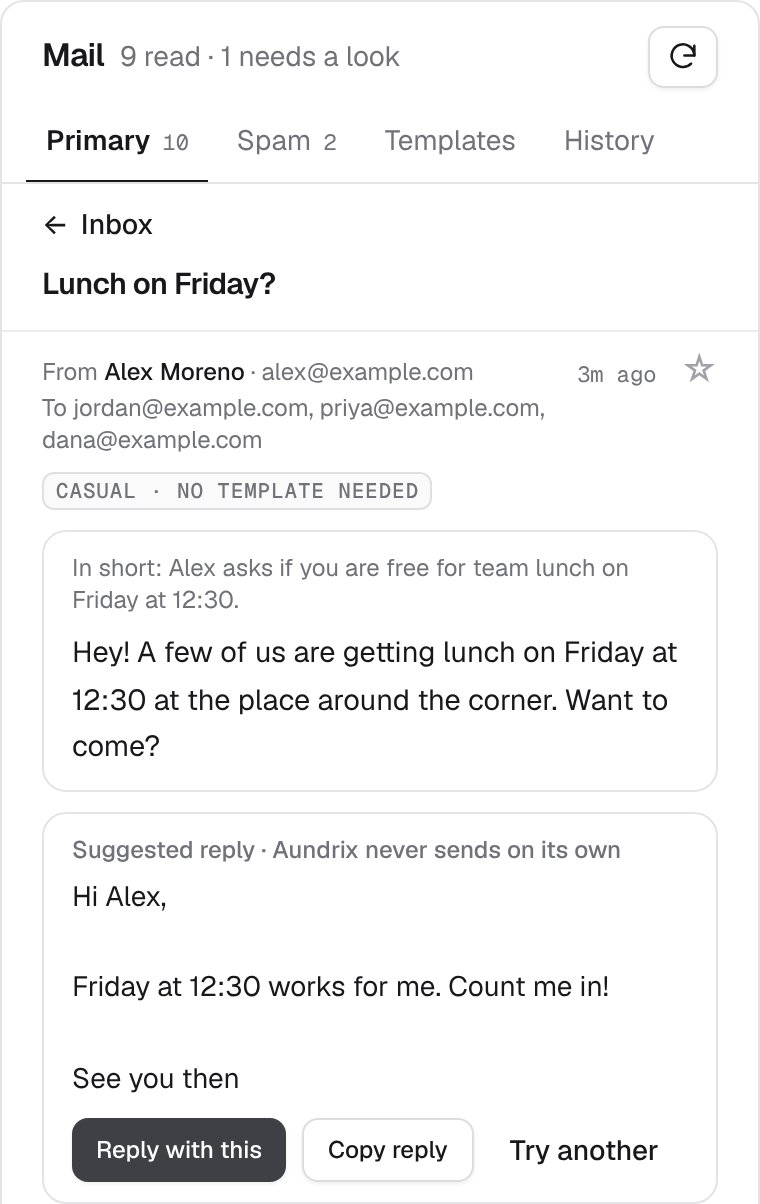
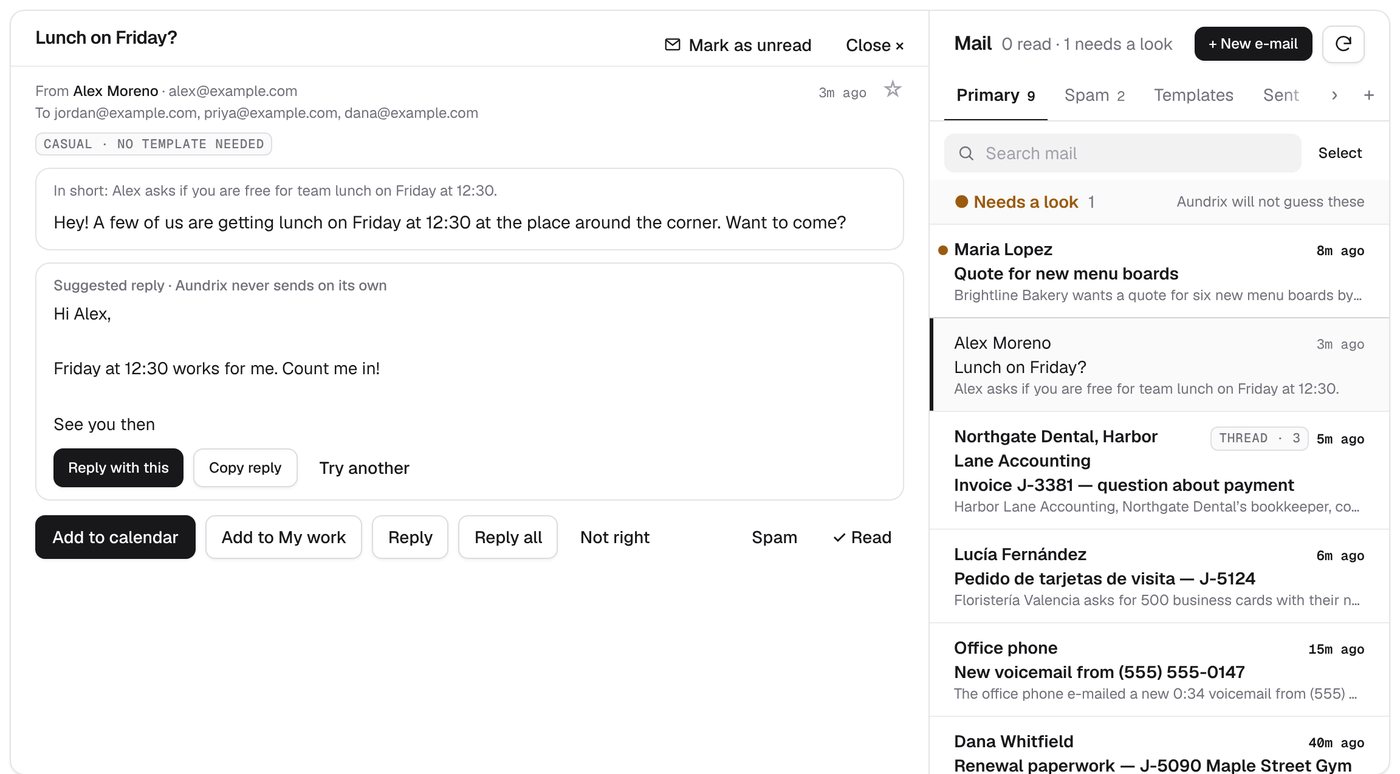
Orbyx suggests a reply in the sender's own language. Use it, change it, or ask for another. Nothing is sent until you press Send and confirm.

A suggested reply to a lunch invitation, marked 'Orbyx never sends on its own', with the buttons Reply with this, Copy reply, and Try another.
Work

Yours, and everyone's.

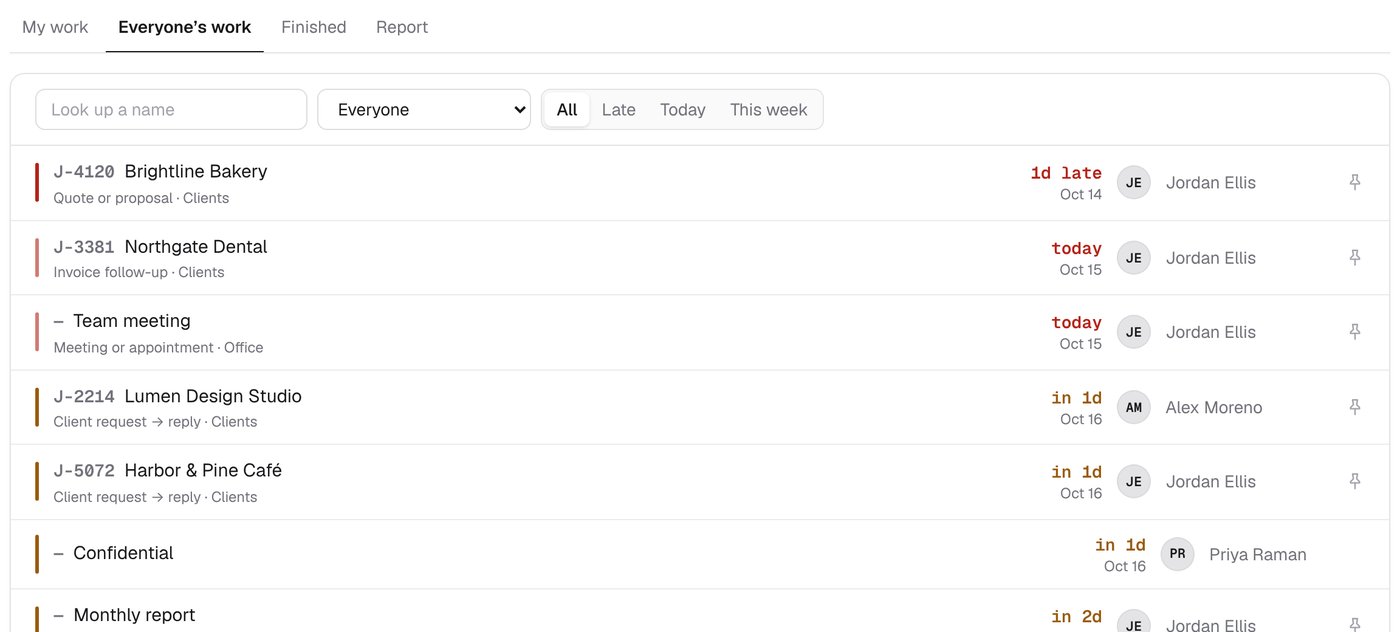
The My work page has three tabs. My work is your own list. Everyone's work is what the team has published, with a name search and a person picker. Report lists the work done, received, or due in a stretch of time you pick, as a table you can download for Excel. Hand a piece of work to a colleague, or tick it off when it is done. Nothing is deleted.

The Everyone's work tab: a name search, a person picker, and the team's work with due dates and who has each piece.
Skills

Teach it your work.

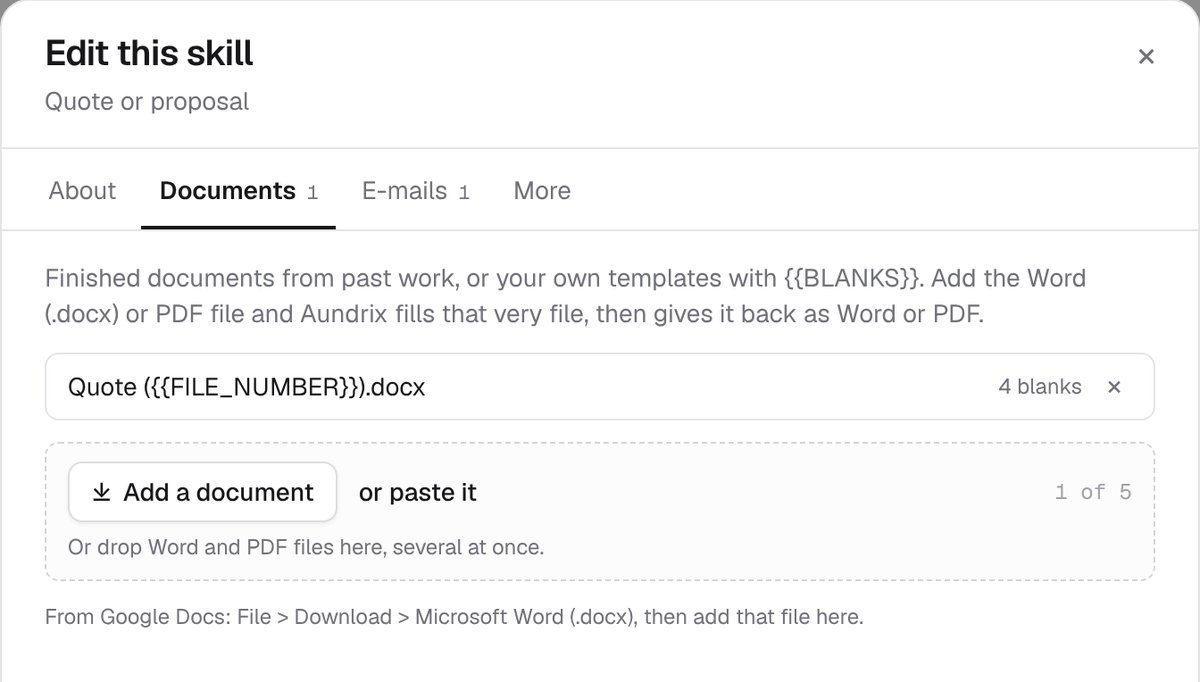
Each kind of work your team does is a skill. Describe it in your own words, say when it is due, and give it up to 20 documents and five e-mails. Orbyx drafts from your description and the documents. A saved draft is marked for review, and nothing it drafts goes out on its own.

Editing a skill called Quote or proposal, with tabs for About, Documents, E-mails, and More, and a plain description of the work.
Team

Work together, live.

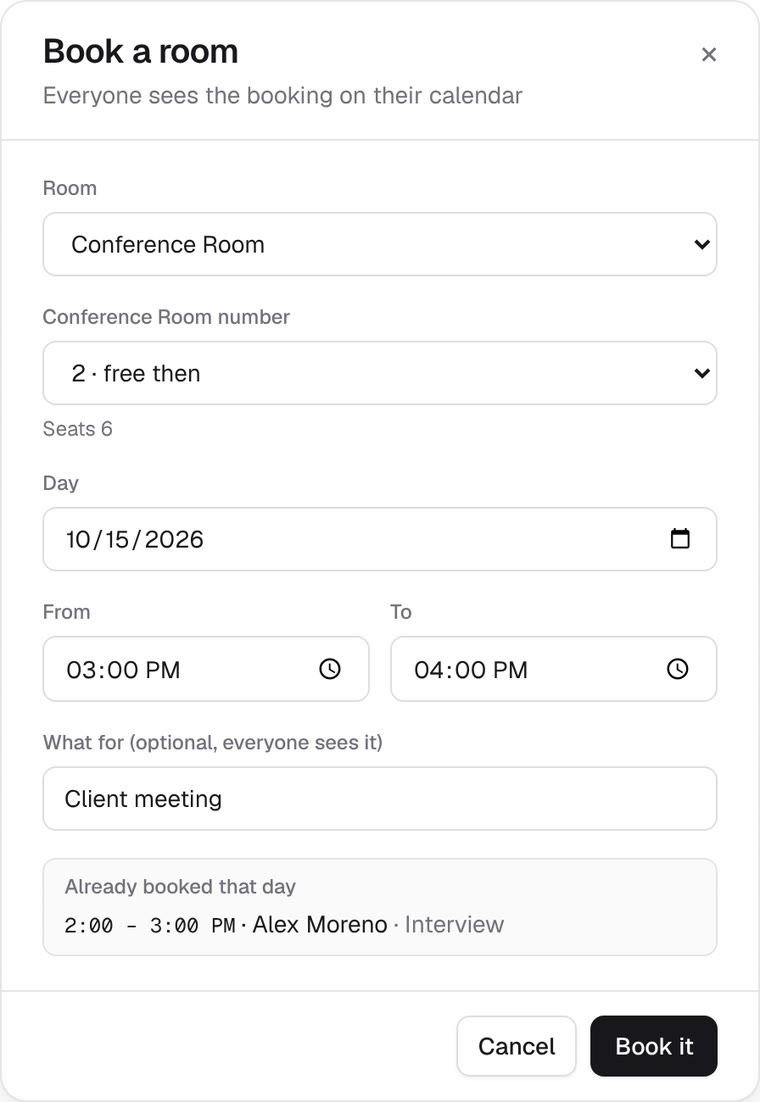
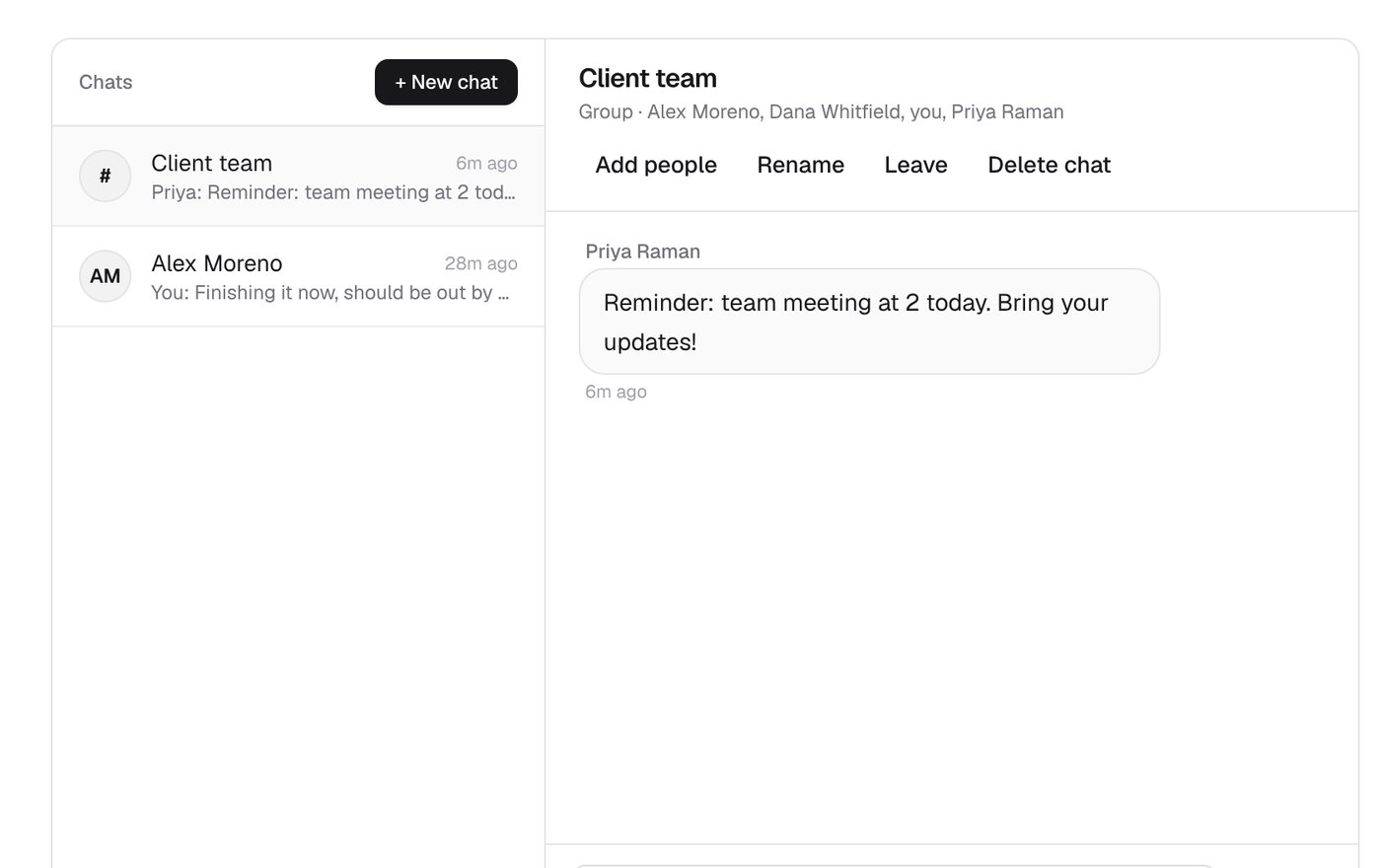
Orbyx tells you when new work comes in, lets you chat with the people in your organization, one-on-one or in groups, and keeps a history of who did what. Only the people in a chat can read it.

Orbyx messages: a Client team group chat with a reminder about a team meeting.
Privacy

Private by default.

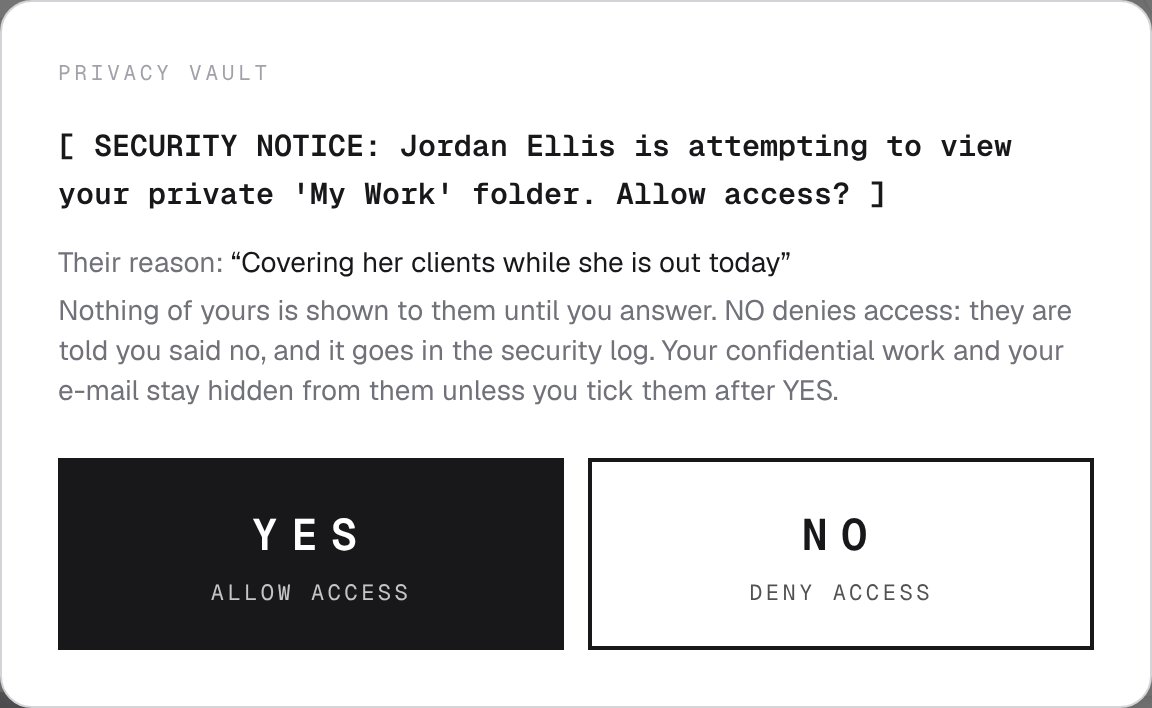
Each person's work stays private until they publish it to the team calendar. Anyone who wants to see it has to give a reason, and the owner answers yes or no. Every refusal is recorded in the security log. Each organization has its own separate workspace, with its own rules and templates.

The privacy vault's security notice: Jordan Ellis is attempting to view your private 'My Work' folder. Allow access? Below it are the reason Jordan gave and the YES and NO buttons.
Roadmap

Where it stands.

Orbyx is still in development and is not open for sign-ups yet. These are the steps between now and a team using it every day.

  1. 01

    Build the product

    The dashboard, mail reading and search, reply drafting, skills, team chat, and the privacy vault are all built.

    Done
  2. 02

    Real sign-in

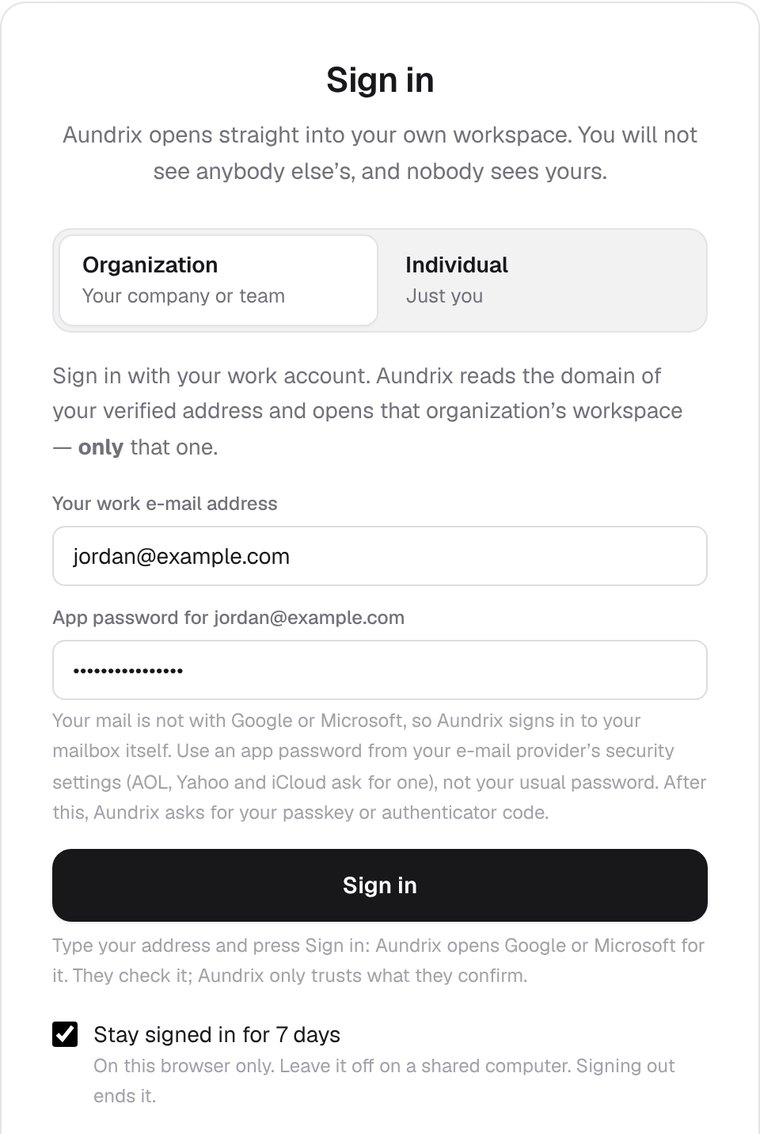
    Google sign-in works. Microsoft sign-in is next.

    Under way
  3. 03

    A real inbox

    Gmail works for reading and replying. Outlook is next.

    Under way
  4. 04

    Go online

    Orbyx is set up to run online with a real database. Next, a team will be able to use it from anywhere.

    Under way
  5. 05

    Side-by-side trial

    Orbyx will run for two weeks alongside a real team, and every deadline it finds will be checked against theirs.

    Later
Updates

Along the way.

Here is what has changed, newest first.

A new trailer

The new 53-second sneak peek shows the simpler screens: the dashboard, the inbox, adding a skill, drafts from templates, suggested replies, the privacy check, and the switch to dark. It has its own original soundtrack. Watch it at the top of this page.

A calmer, simpler Orbyx

Orbyx now shows less at once, with the same look. The dashboard fits on one screen. The mail is an inbox you can search, a conversation is one row, and e-mails open in a reader like a phone's. My work has tabs for your own work and everyone's, and each kind of work is now one skill with its own documents and e-mails.

The trailer is out

The first sneak peek showed the real screens and had its own music.

Real sign-in, a real inbox, any language

Google sign-in works, and Orbyx now reads a connected Gmail inbox in a test workspace with made-up people. It notes the language of each e-mail, translates on request, and suggests replies in the sender's language. Replies go out only after you press Send and confirm.

Themes and sounds

Orbyx now has eight light and eight dark themes, each with its own music. New mail, finished work, and deadline alerts each have their own sound and volume.

The look is set

The design is final: Stark Platinum by day, Deep Obsidian by night, the Split Core logo, and the orbit. The privacy vault is in too, so nobody sees your work unless you say yes.

First build

The first build has one shared core, and every organization gets its own separate workspace that no other organization can reach.