Dashboard
Everything on one screen.
What is late, what is due today, what is waiting for review, the week ahead and the mail that came in. Each item sits on the calendar twice: the day it came in and the day it is due.
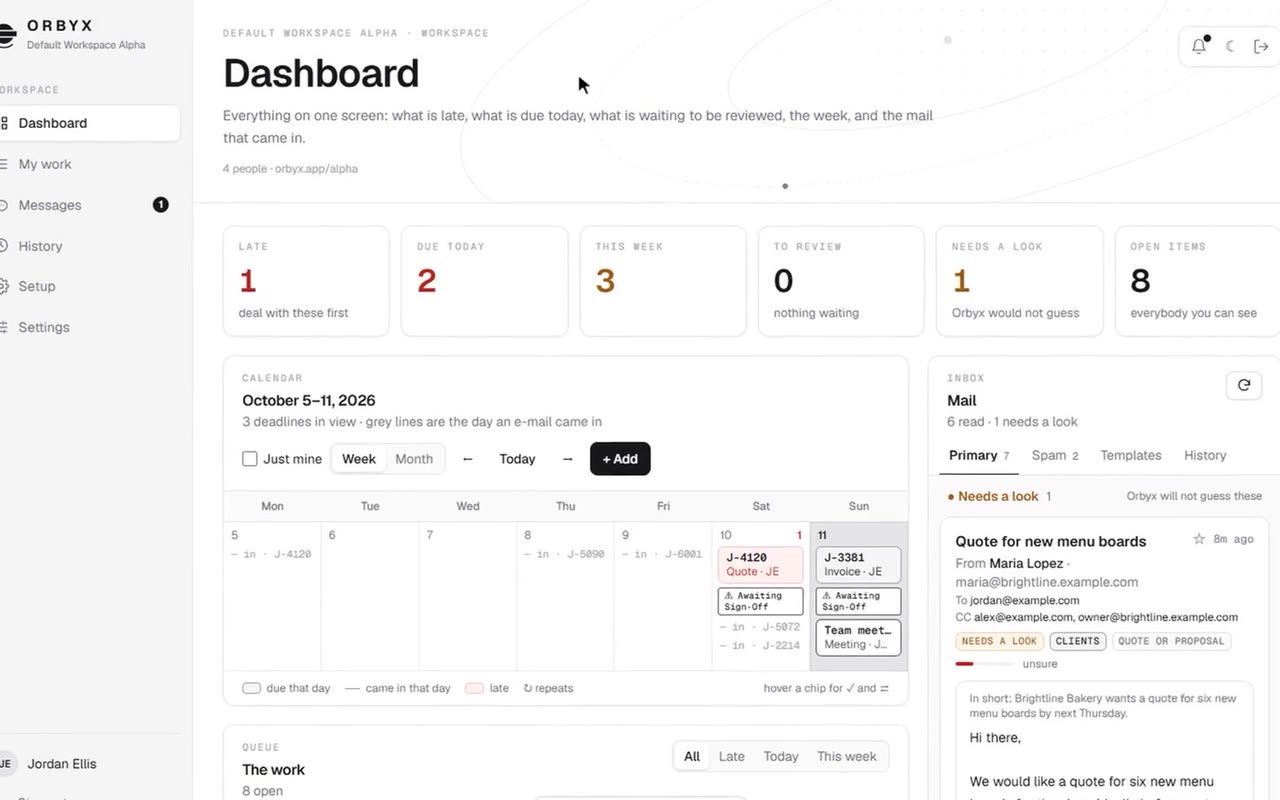
Orbyx reads your team's e-mail, puts every deadline on one shared calendar and drafts each reply. When it isn't sure, it asks a person. Nothing goes out until someone presses Send.
A 52-second sneak peek of the real screens. Every person, e-mail and company in it is made up.
Orbyx is built for teams whose work arrives by e-mail and runs on dates. It does the sorting and the first draft. People make the calls.
What is late, what is due today, what is waiting for review, the week ahead and the mail that came in. Each item sits on the calendar twice: the day it came in and the day it is due.
Every e-mail gets a short summary in English, whatever language it came in, and is sorted by what it asks for. When Orbyx isn't sure, the e-mail goes to Needs a look. Orbyx will not guess.
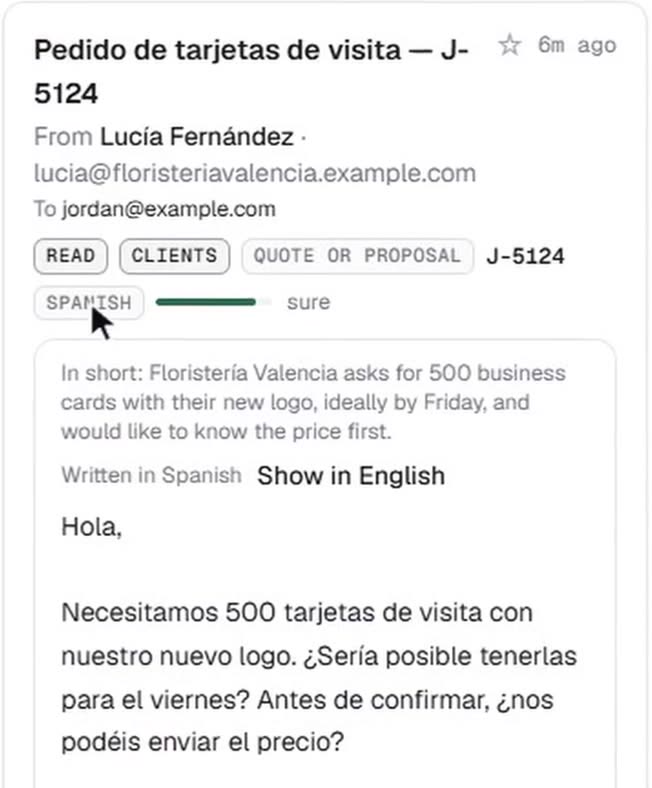
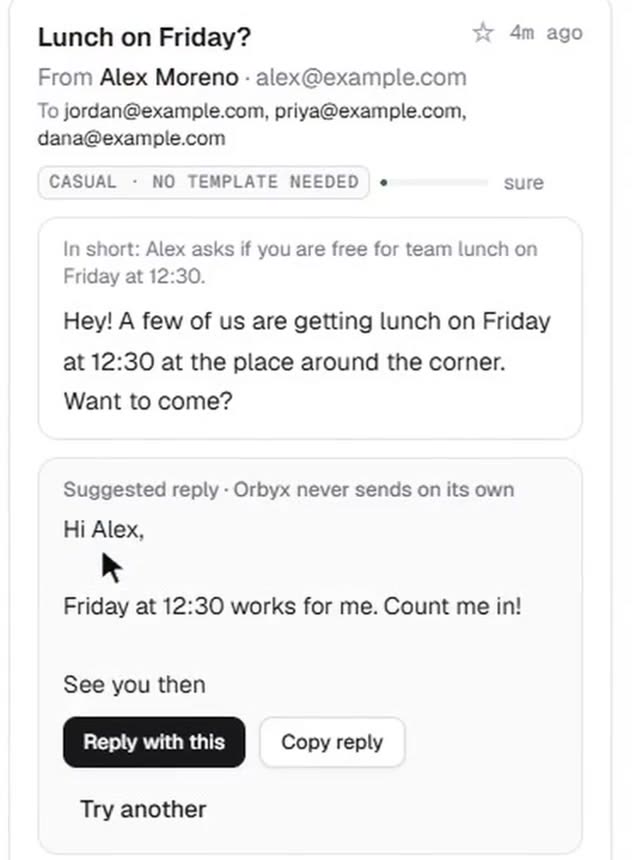
Orbyx suggests a reply in the sender's own language. Use it, change it, or ask for another. Nothing is sent until you press Send and confirm.
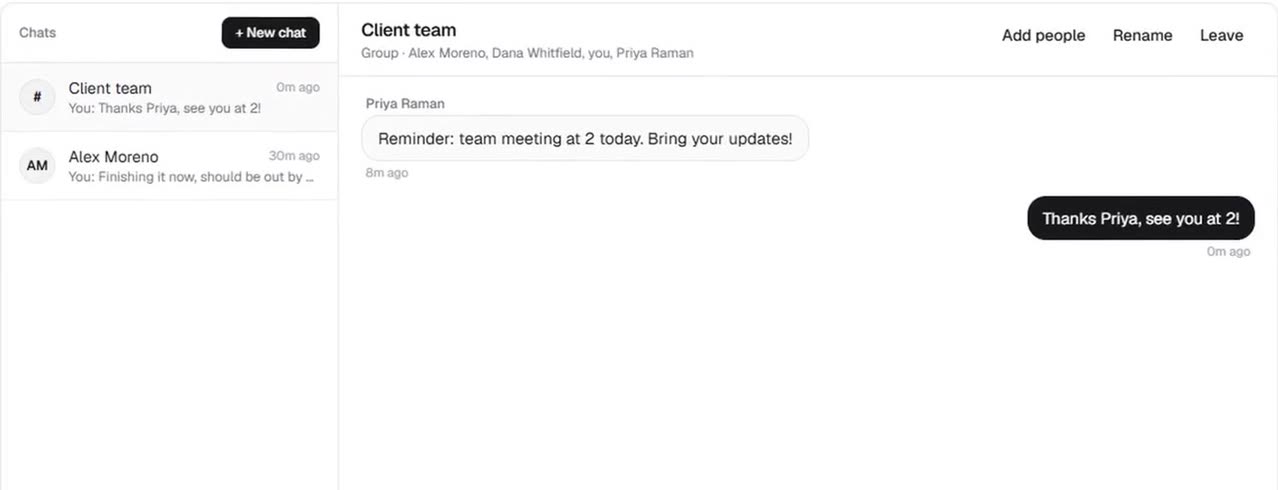
A note when new work comes in, chat with the people in your organization, and a history of who did what. Only the people in a chat can read it.
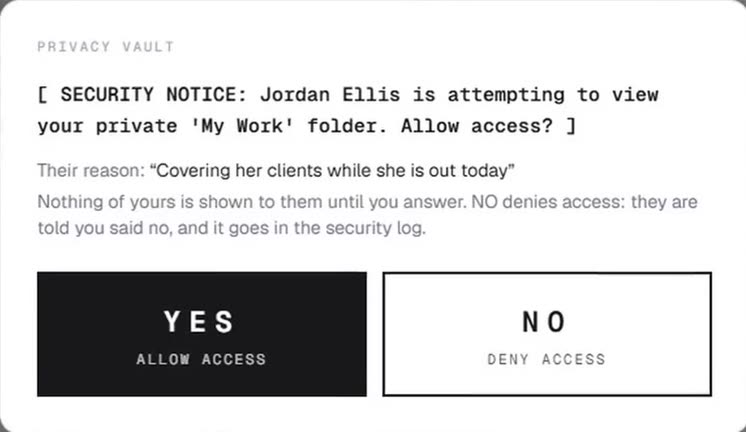
Each person's work stays theirs. Anyone who wants to look has to give a reason, and the owner answers yes or no. A no goes in the security log. Every organization has its own separate workspace, with its own rules and templates.
Eight light themes and eight dark. Stark Platinum and Deep Obsidian are the defaults; the others add a scene behind your work and their own music. Pick one to see the dashboard in it.
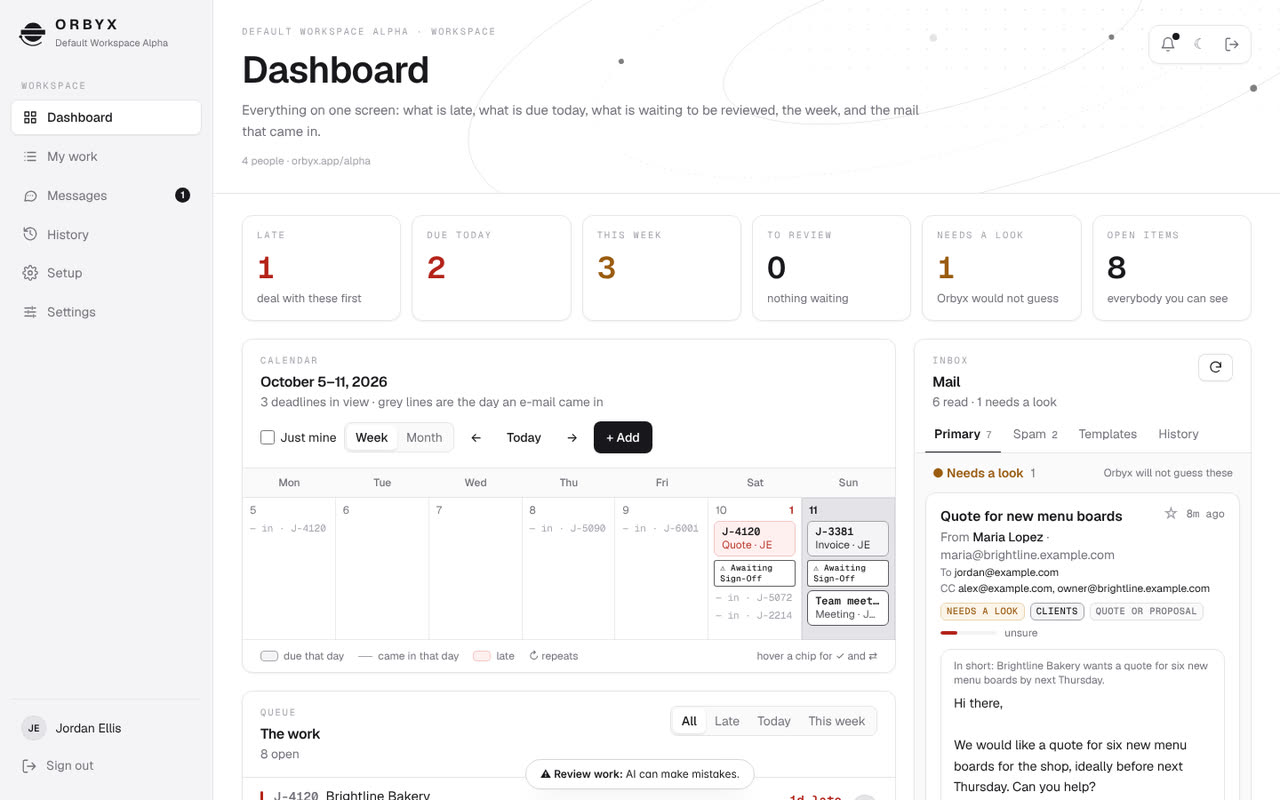
Stark PlatinumClean white and zinc. The default by day.
Orbyx is in development and not open for sign-ups yet. These are the steps to a team using it every day.
Dashboard, mail reading, drafting, team chat, the privacy vault and the themes.
Google sign-in works. Microsoft is next.
Gmail works, reading and replying. Outlook is next.
Hosted, with a real database, so a team can use it from anywhere.
Two weeks next to a real team, checking every deadline Orbyx finds against theirs.
What changed, newest first.
A 52-second sneak peek of the real screens, with its own music. Watch it at the top of this page.
Google sign-in works, and Orbyx now reads a connected Gmail inbox in a test workspace with made-up people. It notes the language of each e-mail, translates on request and suggests replies in the sender's language. Replies go out only after you press Send and confirm.
Eight light and eight dark, each scene with its own music. Sounds for new mail, finished work and deadline alerts, each with its own volume.
Stark Platinum by day, Deep Obsidian by night, the Split Core logo and the orbit. Plus the privacy vault: nobody sees your work unless you say yes.
One shared core, with every organization in its own separate workspace that no other organization can reach.